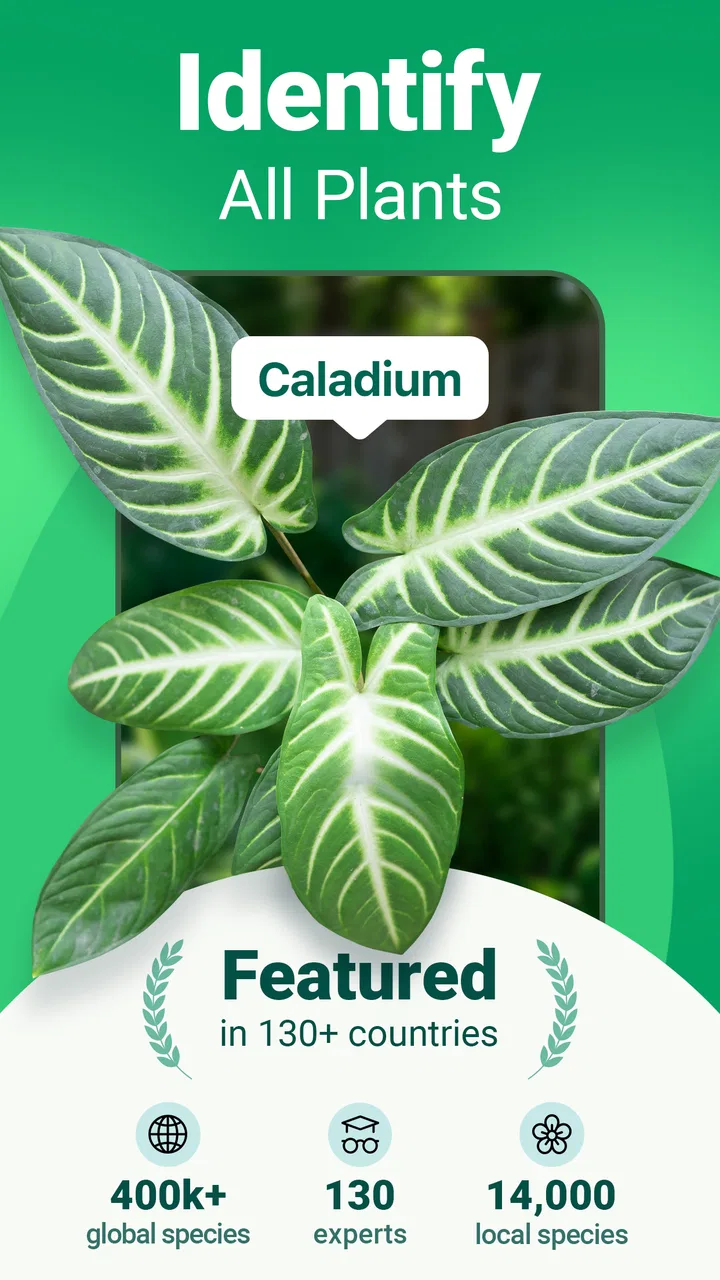
Plantum - Plant Identifier
- 4.4
- Rating
- 5.00M
- Installs
- Free
- Price

 Analysis by App-foxy
I like plant-identification apps most when they solve a small problem at exactly the right moment: I find an unfamiliar leaf, notice something odd on a houseplant, or want a quick starting point before searching through gardening forums. Plantum - Plant Identifier is built for that kind of use. It is an education app from AIBY Inc. that combines plant recognition with basic help for diagnosing problems and caring for flowers and trees. I found it most useful as a first step, not as a replacement for careful observation or advice from an experienced grower.
The app is free to install and suitable for Everyone, which makes it easy to try without committing to a purchase immediately. It has reached more than 5 million installs and holds a 4.4 average from around 48 thousand ratings, so it is clearly being used by a large audience. That popularity does not mean every identification will be perfect, but it does make Plantum a practical option for casual plant owners who want an accessible reference on an Android or iOS device.
Where Plantum is most useful, and where people get stuck
The central idea is simple: use a photo to identify a plant, then use the result as a doorway to care information or possible explanations for an unhealthy appearance. In practice, the quality of the first photo matters more than many new users expect. A blurred image, a crowded shelf, a small leaf partly hidden by another plant, or a flower photographed in poor light can make the result less helpful. When the app seems uncertain, the problem may be the image rather than the plant database.
You May Also Like

 Blood Strike: 2.5 Anniversary
Blood Strike’s Loadouts Turn Every Drop Into a Tactical Gamble
A close look at Blood Strike’s custom loadouts: how fast access to signature weapons reshapes its battle royale rhythm, rewards preparation, and narrows the gap between fights.

 Pandora - Music & Podcasts
Pandora’s Music Is Easy to Start, but Harder to Recover
Pandora’s strength is its low-effort path from a seed to a station. Its weak spot is how much confidence it asks you to place in connection, setup, and quiet recovery.

 8 Ball Pool
 Is Built on Rivalries, Rematches, and Routine
A close look at the rivalries, rematches, shared routines, and unanswered safety questions that turn a quick pool match into a persistent mobile community.

 Samsung Music
’s Quiet Strength Is Playing What You Already Own
Its reach comes less from spectacle than from dependable access to a personal library. That simplicity is both the app’s strongest retention engine and its ceiling.

 AccuWeather: Weather Radar
AccuWeather Review: A Quick, Clear Forecast for Everyday Decisions
For everyday plans, the best forecast is the one you can understand quickly. AccuWeather makes rain timing, radar, and local conditions easy to act on, with a few trade-offs.

 Hill Climb Racing
Why Hill Climb Racing Still Turns Crashes Into One More Run
A tiny car, a bumpy hill and one more upgrade: Hill Climb Racing keeps resurfacing because its simple chaos makes every near-miss feel personal.
More From Our News Desk



I get better results when I photograph one clear feature at a time. For a leafy plant, that usually means a sharp view of several leaves and part of the stem. For a flowering plant, I try to include the flower and leaves rather than filling the frame with only one petal. If I am checking a damaged area, I take a second image that shows the whole plant as well as a closer view of the affected section. This gives me a more useful basis for comparison than repeatedly photographing the same unclear detail.
One common point of friction is expecting the identification to settle every question at once. Naming a plant does not automatically prove that a yellow leaf has one specific cause. Yellowing can be connected to watering, light, age, temperature, or other conditions that look similar in a single photograph. I treat the result as a likely direction for investigation and then compare it with what I can see in the plant’s environment.
The same caution applies to outdoor plants. A picture may suggest a familiar flower or tree, but local varieties can look alike, especially when the image does not show bark, fruit, seed heads, or the full growth pattern. I would not use a quick identification as the only basis for eating a wild plant, treating a health problem, or deciding whether a plant is safe around children or pets. For those situations, independent confirmation is essential.
How I prepare a photo before asking for an identification
My most reliable routine is to move the plant away from visual clutter, avoid harsh glare, and hold the phone still for a moment before capturing the image. I do not crop away all context too early. A close-up can show leaf texture, while a wider shot can reveal whether the plant is a vine, a rosette, a shrub, or a young tree. Those are useful clues that a single isolated leaf cannot provide.
I also avoid photographing through glass when possible. Reflections and tinted windows can change the apparent color of leaves, which is especially unhelpful when I am checking for discoloration. If the plant is indoors, I prefer soft, even daylight. If it is outside, I try not to shoot directly into the sun. These are small changes, but they reduce the chance of blaming the app for an image that was difficult to interpret.
For diagnosis, I take notes before opening the result. I look at how long the plant has appeared unhealthy, whether the newest or oldest leaves are affected, and whether the soil feels dry or wet. I also remember recent changes, such as moving the pot, repotting, or placing it near a heater. Plantum can help organize the possibilities, but those observations are what make the suggestions meaningful.
Setup checks that prevent avoidable problems
Plantum’s current version is 3.16.4, and it requires at least iOS or Android 12. That requirement is worth checking before troubleshooting anything else. If the phone is running an older operating system, updating the app alone will not solve compatibility issues. I would first confirm the device software, then make sure the app itself is updated through the normal store before assuming that an identification or care screen is malfunctioning.
The initial setup should be approached as a quick test rather than a long commitment. I would open the app, try a well-lit photo of a familiar plant, and see whether the basic recognition flow works before spending time preparing a rare specimen. This separates a general setup issue from a difficult subject. A clear, common houseplant is a better test than a tiny seedling or a damaged leaf with few visible features.
Because the app is free to install but includes optional in-app purchases ranging from $0.99 to $59.99 per item, I pay attention to any purchase screen during setup. I do not assume that every useful part of the experience requires payment, but I also do not tap through a subscription or purchase prompt without reading it. Anyone installing it for a child should supervise this part, even though the content rating is Everyone.
Another useful check is whether the phone can capture a sharp image at all. If the camera preview is dark, frozen, or unable to focus in other apps, Plantum is unlikely to be the root cause. Cleaning the camera lens, closing other camera-using apps, and restarting the phone are sensible general steps. I would only move to reinstalling Plantum after confirming that the camera works normally elsewhere and that the operating system meets the requirement.
When a result takes longer than expected, I check the basics without changing several things at once. A stable connection, enough free device storage for normal app operation, and a fully closed-and-reopened app are reasonable first checks. If I immediately reinstall, switch networks, change permissions, and retake the photograph together, I lose track of what actually fixed the issue. A calm, one-step-at-a-time approach is more useful.
Making the first session work for a real household
For a home with several plants, I would not begin by photographing everything in one batch. I would identify one plant, compare the result with its visible features, and record the practical care questions that matter: light, watering habits, leaf changes, or seasonal growth. Then I would move to the next plant. This prevents a long list of uncertain names from becoming more confusing than helpful.
A particularly useful workflow is to use Plantum when buying a plant, but not while standing in a crowded shop with a rushed, obstructed photo. I prefer photographing the plant after bringing it home, when I can show its structure clearly and observe its condition over several days. That gives me a better baseline for later diagnosis. The app becomes more valuable when I use it as part of a record of observation rather than as a one-time guessing tool.
For outdoor walks, I would take both a close photograph and a wider environmental view, while avoiding damage to the plant. The close view helps with visible details; the wider view reminds me whether the specimen is growing in shade, beside water, in dry soil, or among other vegetation. Plantum can support curiosity and learning, but it should not encourage picking unknown plants or treating an identification as proof of edibility.
Recovering when the workflow goes wrong
If the first identification looks implausible, I do not keep submitting the same frame. I retake the image from a different angle and include another part of the plant. A second attempt is most useful when it adds information: the underside of a leaf, the arrangement of leaves along a stem, the flower shape, or the overall habit. Repeating an identical blurry image rarely changes the quality of the answer.
When the app suggests a plant that resembles the subject but does not quite fit, I compare visible traits instead of focusing only on the name. Does the leaf arrangement match? Is the growth pattern similar? Are the flowers or bark consistent? This is one of the strongest ways to use an identification app responsibly. The name is a hypothesis, while the physical comparison is the evidence I can actually inspect.
For a health concern, I separate identification from diagnosis. First I try to establish what the plant is. Then I photograph the affected area in context and review the care information alongside my own notes about light, watering, and recent changes. If the problem is spreading quickly, affects many plants, or might involve pests or a hazardous substance, I would seek help from a nursery, extension service, or qualified specialist rather than relying on an app alone.
If an image is not accepted or the result screen does not behave normally, I use a simple recovery sequence: close and reopen the app, retake a smaller and clearer set of images, and confirm that the phone meets the minimum operating-system requirement. I would also check whether the same camera problem appears in another app. These steps are deliberately ordinary because they avoid inventing a complicated explanation when the cause may be a temporary device or image issue.
It is also worth remembering that a failed attempt does not always mean the workflow is broken. A very young plant, a leaf with severe damage, a plant hidden among similar species, or a photo taken in poor lighting may simply provide too little visual information. In those cases, changing the subject or waiting until the plant develops more recognizable features can be more productive than repeatedly forcing the same test.
What Plantum adds compared with usual alternatives
The usual alternative is a general web search, which can be excellent when I already know the right descriptive words. The problem is that beginners often do not know whether to search for leaf shape, disease symptoms, or growth habit. Plantum lowers that first barrier by letting the image start the investigation. I find it faster than browsing unrelated photos when I only have a vague idea of what I am looking at.
Another alternative is asking a gardening group or visiting a local nursery. Those options can be better when the plant is unusual, the diagnosis is serious, or the image leaves room for several interpretations. A person can ask follow-up questions about soil, climate, recent care, and symptoms over time. Plantum is more convenient for an immediate first pass, while human advice is often stronger when the situation requires context.
Dedicated plant-care services may suit someone who wants a deeper routine around a collection, reminders, or long-term tracking. Plantum’s appeal is different: it brings identification, diagnosis, and care guidance together in one approachable education app. I would choose it for quick learning and early investigation, not because it eliminates the need for a personal care system.
Its broad usefulness also creates a trade-off. A single app that covers flowers and trees is convenient, but a specialist resource may offer more depth for a narrow group of plants. A serious collector of one genus, a grower dealing with a difficult disease, or someone working with local wild species may eventually need books, regional references, or expert communities alongside Plantum.
When the app is not the cause
Many apparent app failures begin with the phone, the subject, or the expectations placed on the result. A camera lens covered with fingerprints can soften every edge. Low light can change color. A moving leaf can produce blur. An older operating system can create compatibility trouble. A plant with few distinctive features can be genuinely difficult to identify. These explanations are more likely than a mysterious failure when other parts of the app work normally.
I also avoid treating care advice as a fixed prescription. A plant’s needs depend on its pot, soil, room, season, local climate, and recent treatment. If a suggestion conflicts with what I observe, I slow down rather than making a drastic change. For example, I would not suddenly water repeatedly just because a leaf looks limp; I would check the soil and the plant’s recent conditions first. The app can point me toward a question, but it cannot feel the moisture in my pot or inspect the roots directly.
Privacy and purchase awareness are practical parts of setup, too. I only grant the access needed for the task I am trying to perform, and I read purchase screens carefully. The free entry point is helpful, but the range of optional item prices means that users should understand what they are selecting before confirming anything. This is especially important on a shared device or a family account.
Someone who wants certainty before taking action should skip relying on Plantum alone. The same is true for anyone looking for a complete botanical reference, a professional pest diagnosis, or a guarantee that an unknown plant is safe. In those cases, the better choice is a combination of a clear photo, a trusted local source, and expert confirmation when the consequences matter.
My practical verdict after using it
I recommend Plantum to beginners, apartment gardeners, parents exploring nature with children, and anyone who regularly encounters plants they cannot name. Its best quality is the way it turns a vague question into a structured starting point. I can photograph a plant, investigate the likely identity, and then think more carefully about its condition instead of searching randomly.
The app works best when I treat photography as part of the task. Clear images, multiple angles, and a little written context make a bigger difference than simply pressing the identification button again. For diagnosis, the most useful habit is to combine the app’s suggestions with observations about watering, light, timing, and the pattern of damage. That workflow produces more value than expecting one image to explain everything.
I would be less enthusiastic about it for specialist growers, high-stakes plant decisions, or users who want a complete collection-management system. The optional purchases also mean that free installation should not be confused with every possible feature being free. Still, those limitations do not undermine its role as a convenient learning tool.
Plantum was released on September 21, 2020, and its current version shows that it remains an actively maintained option for people using supported devices. With a free starting point, an Everyone rating, and a clear focus on identifying, diagnosing, and caring for plants, it earns a place among the easier apps in this category to try. My main advice is to use the result as a well-informed lead, not as the final word. If you keep that boundary in mind, the app can save search time, improve your plant vocabulary, and help you notice problems early without encouraging overconfidence.
For me, that makes it worth installing when I want a quick answer on a walk or need help understanding a new houseplant. I would keep a nursery contact, a reliable regional reference, or an experienced gardener in reserve for unusual or serious cases. Used in that balanced way, Plantum - Plant Identifier is a practical companion for everyday plant curiosity rather than a substitute for real-world observation.
FAQs for Plantum - Plant Identifier
01What is Plantum - Plant Identifier used for?
Plantum - Plant Identifier is designed to help you recognize plants, flowers, trees, herbs, and other greenery from a photo. After taking or uploading an image, the app compares visible features with its plant database and provides a likely identification, along with basic information about the species, care requirements, and common characteristics. Results are best treated as guidance rather than guaranteed scientific identification.
02How accurate is Plantum’s plant identification?
The accuracy of Plantum can vary depending on image quality, lighting, camera focus, and how clearly the leaves, flowers, or stem are visible. Common plants are generally easier for the app to recognize than rare varieties or damaged specimens. For better results, photograph the plant in natural light, include several distinctive parts, and compare the suggested result with the information shown in the app.
03Can Plantum identify plants from an existing photo?
Yes, Plantum typically allows users to select an image from their device gallery as well as take a new picture with the camera. This is useful when you have already photographed a plant or want to analyze an image received from someone else. However, heavily cropped, blurry, dark, or edited photos may reduce the quality of the identification and produce less reliable suggestions.
04Does Plantum provide plant care and diagnosis advice?
Besides identifying plants, Plantum offers information that can help with everyday care, such as watering, light exposure, soil preferences, and general maintenance. Depending on the feature being used, it may also provide guidance about possible plant problems or symptoms. This advice should be considered a helpful starting point, not a replacement for a professional botanist, horticulturist, or plant disease specialist.
05Is Plantum free to download, and are there in-app purchases?
Plantum can generally be downloaded free of charge, but some identification tools, care features, or advanced content may require a subscription or in-app purchase. Before confirming a trial or premium plan, review the pricing, renewal terms, and cancellation instructions displayed in the app store. Availability of features and subscription options may differ between Android and iOS or by region.
Pros
- Identifies many common plants from a single photo.
- Includes care tips for watering
- light
- and soil needs.
- Useful reminders help maintain regular plant-care routines.
- Clean interface makes plant identification quick for beginners.
- Can help recognize possible plant diseases and health issues.
Cons
- Results may be inaccurate with blurry or poorly lit photos.
- Some advanced features require a paid subscription.
- Care advice may not suit every variety or local climate.
- The app can use considerable storage for plant data and images.
- Plant identification may take longer without a stable internet connection.

Plantum - Plant Identifier
Gallery